
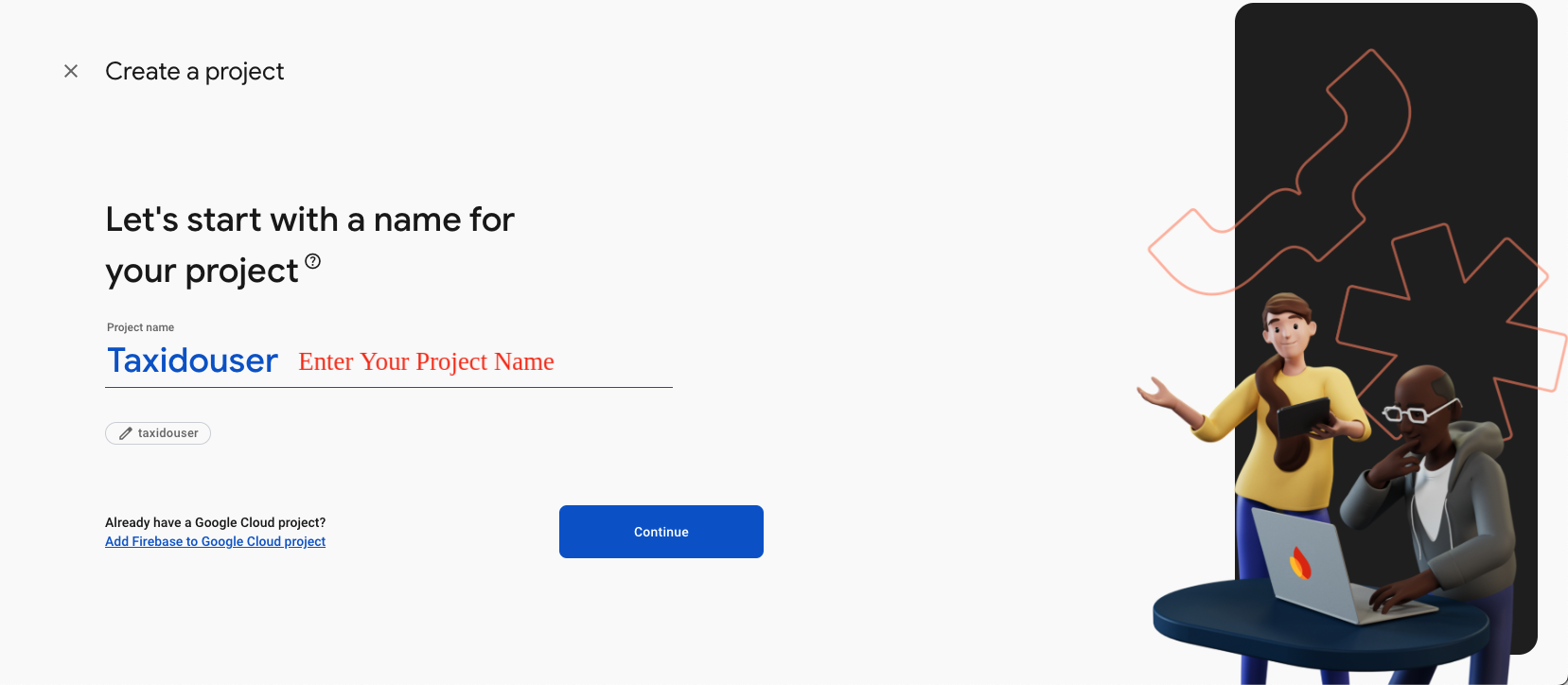
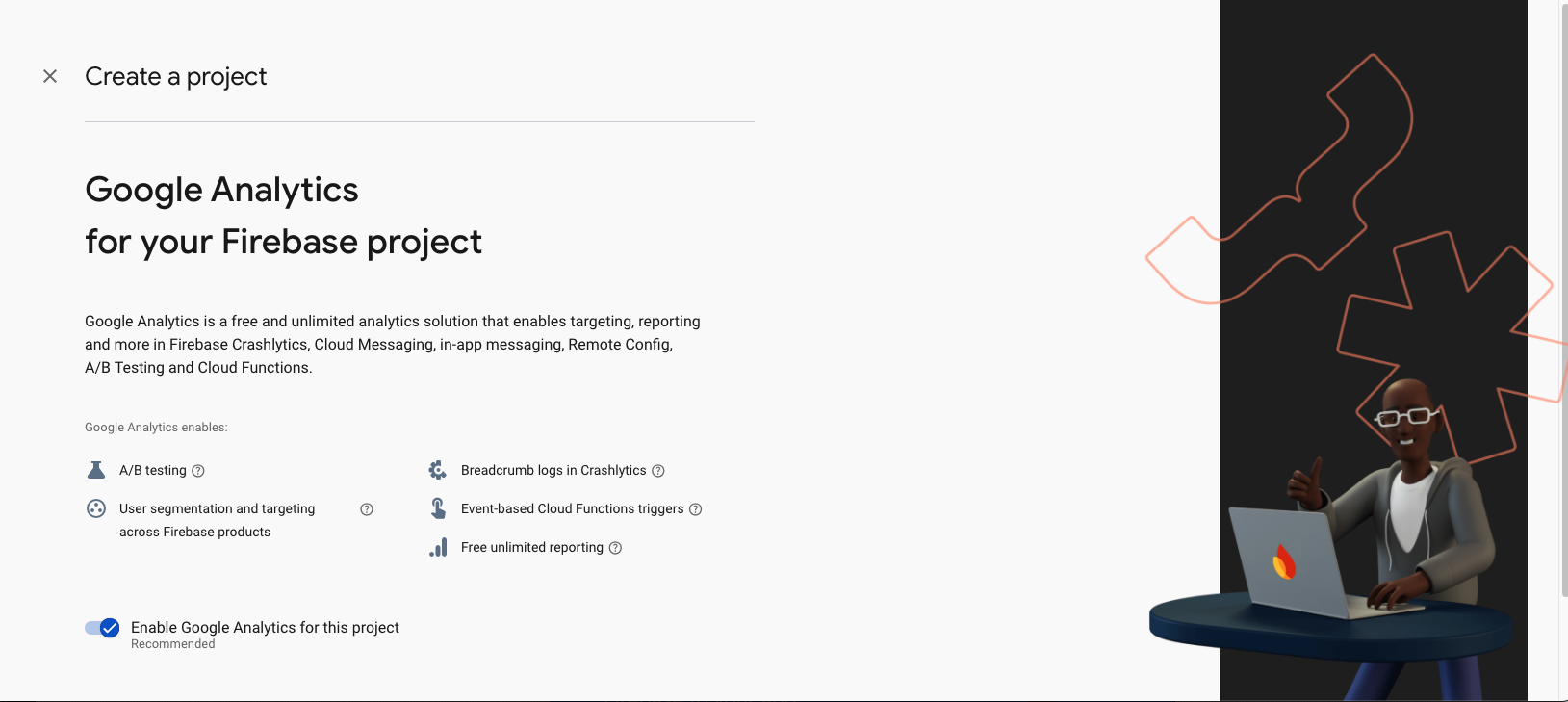
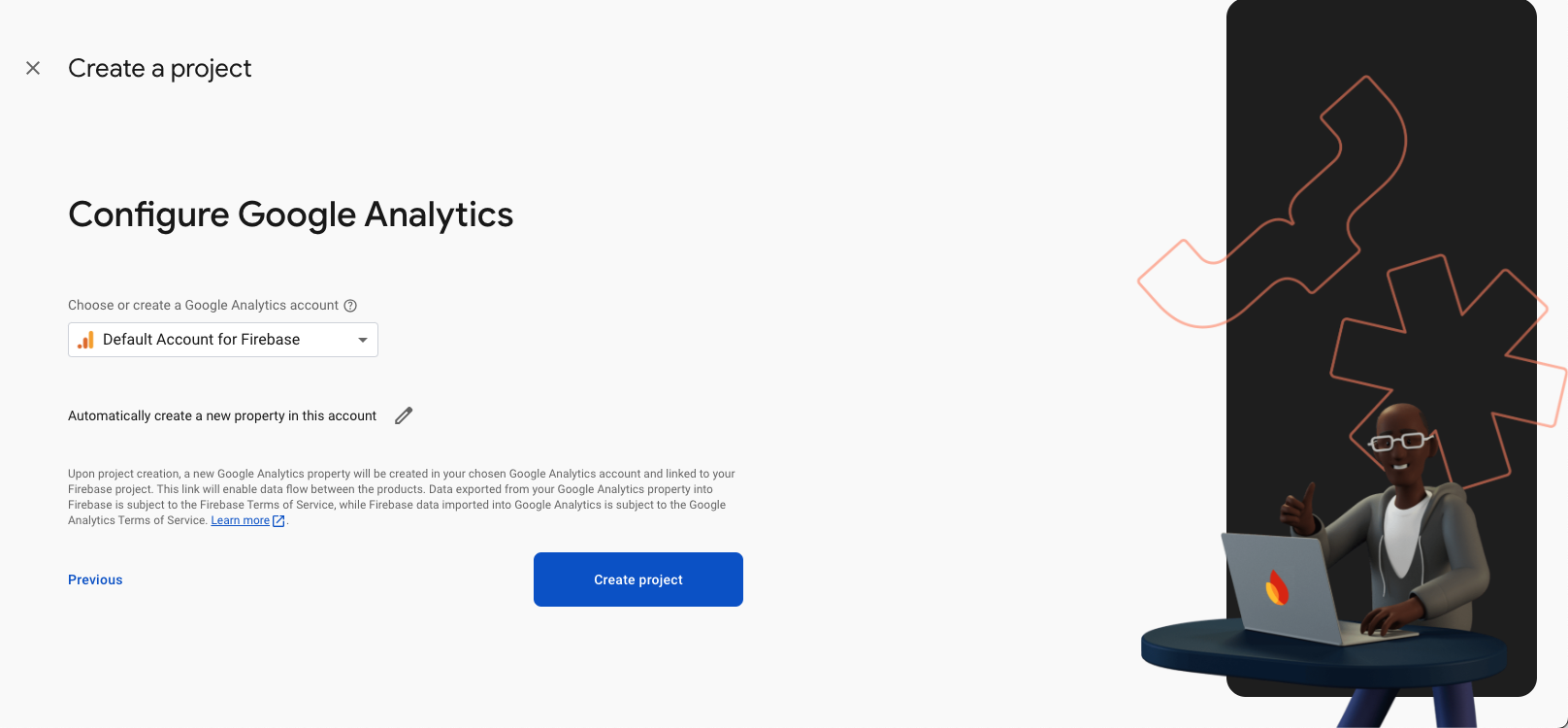
(1) Create Firebase Project:
- If you haven’t Firebase Project Account ? Click here for create projet https://console.firebase.google.com/
-
-
-
-

(2) Setup Firebase Project:
(2.1) Android :
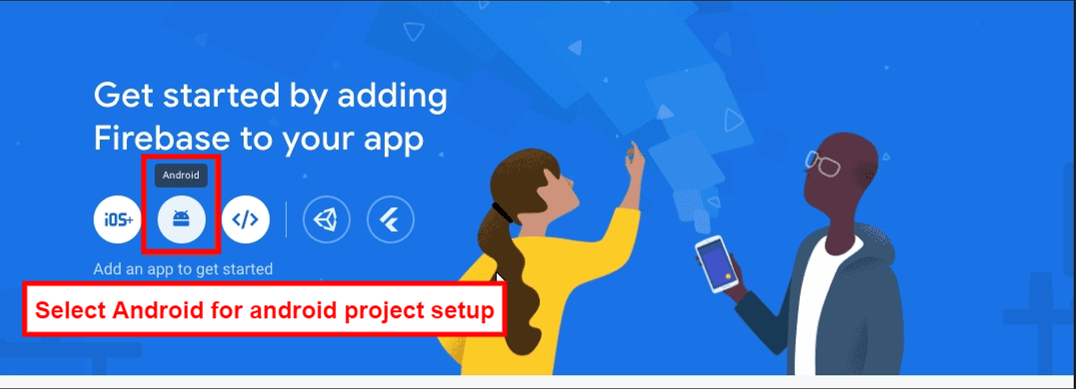
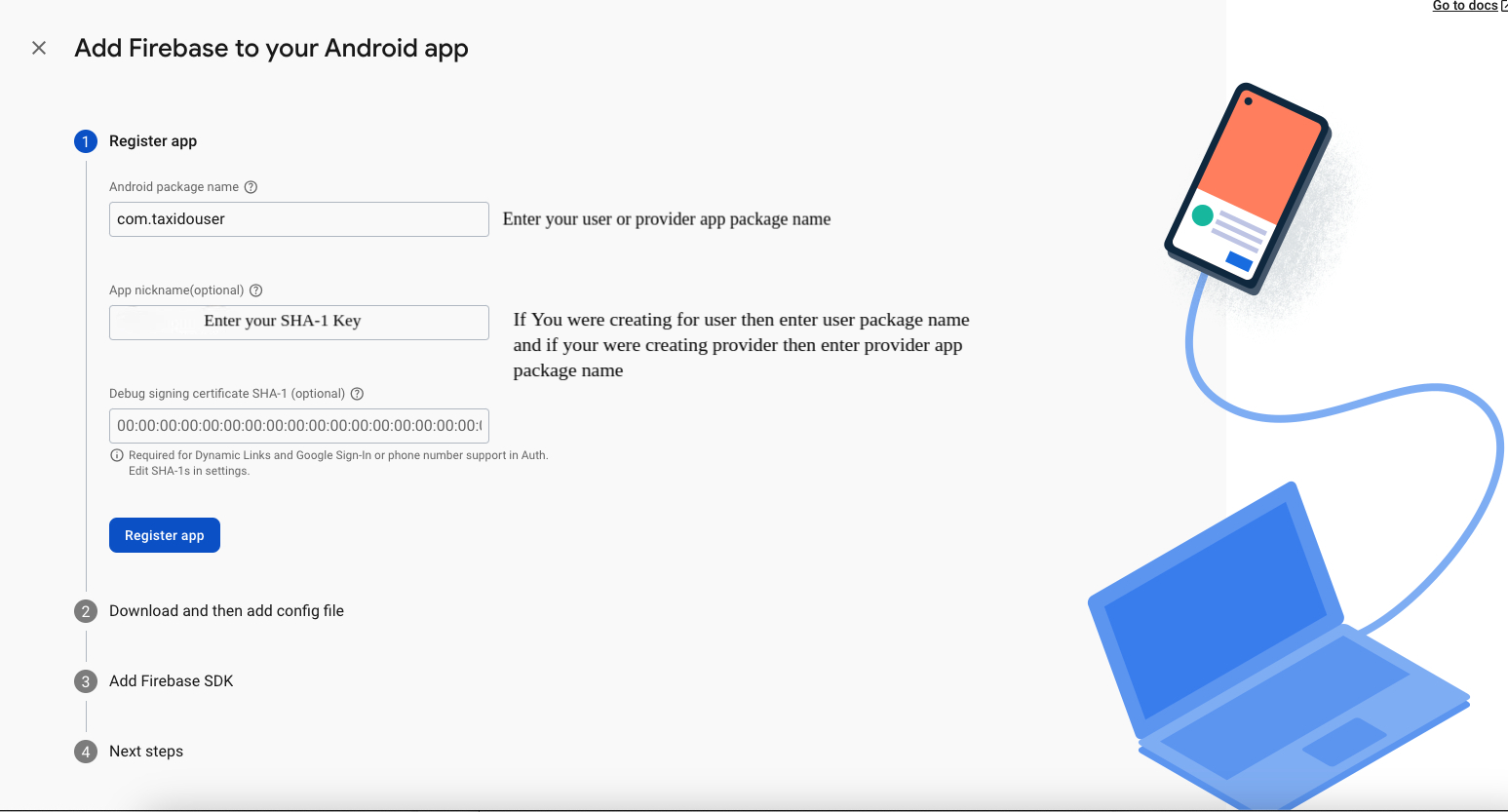
- Select an Android app in the firebase console.
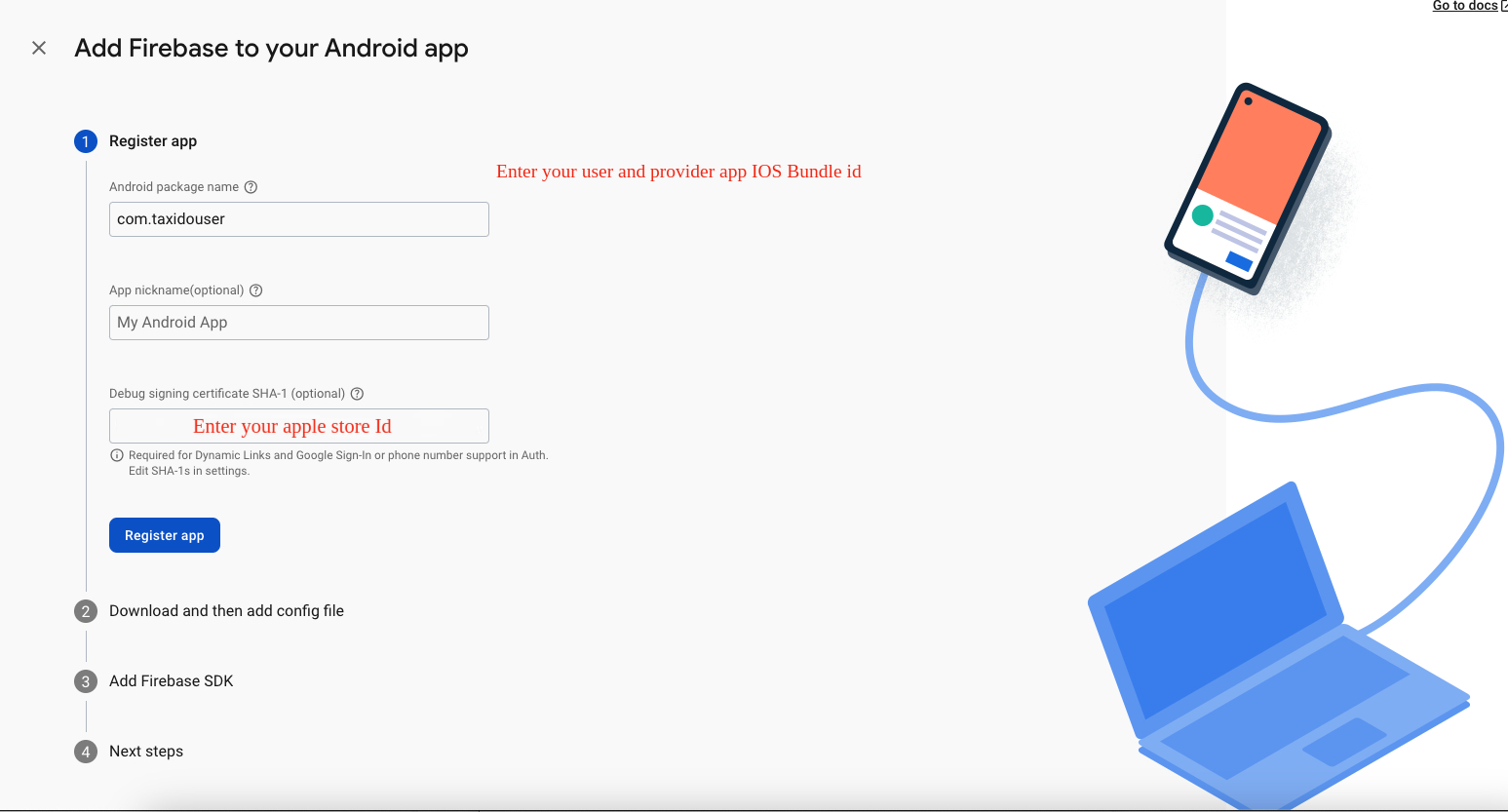
- Write project package name and SHA-1 Key.
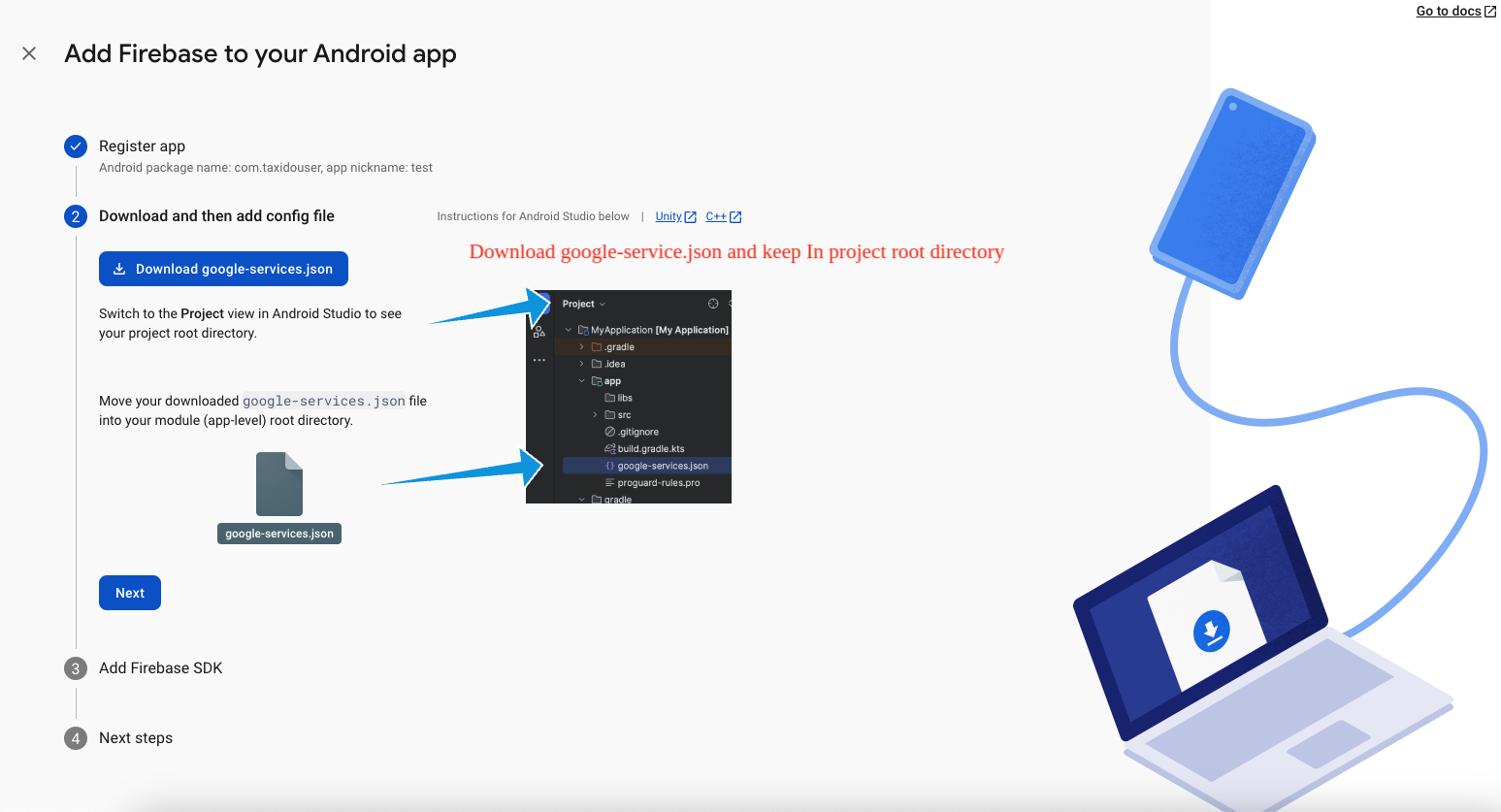
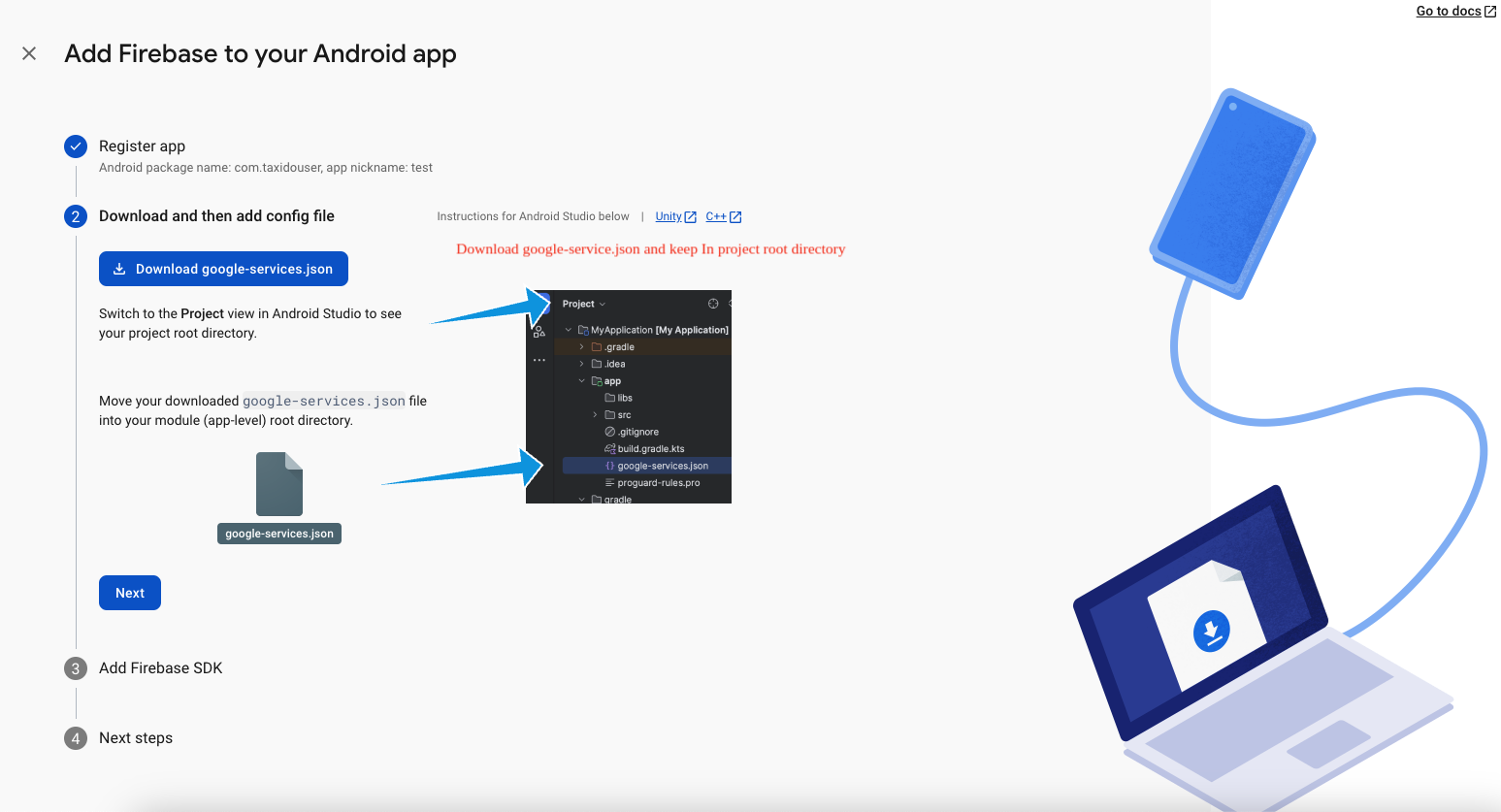
- Download google-service.json file and keep in project root directory
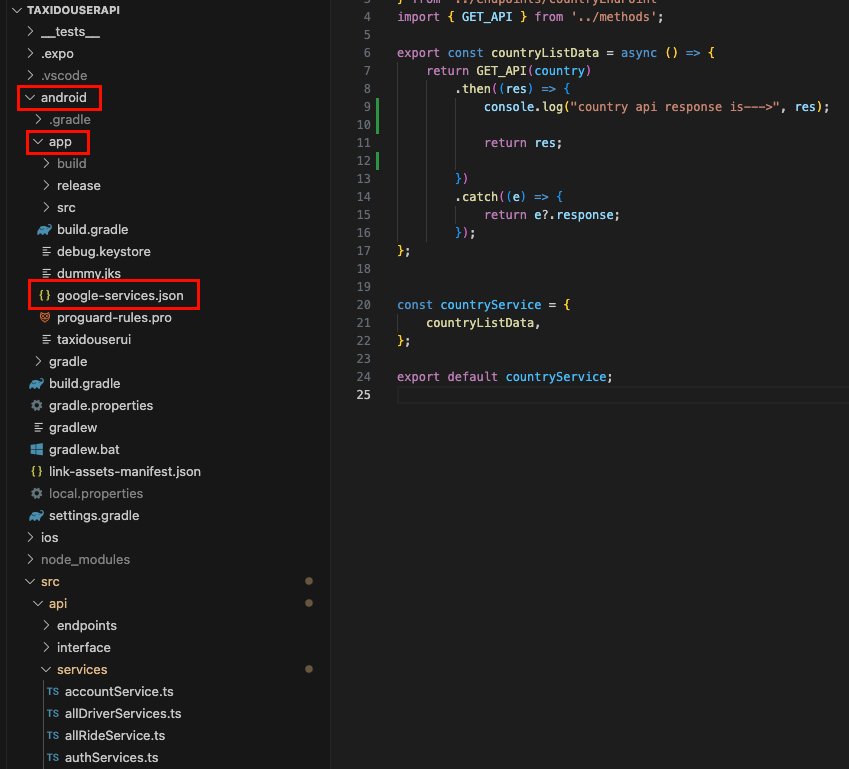
- Example Taxido(Project Name) -> android -> app
- Replace the file in "android/app"
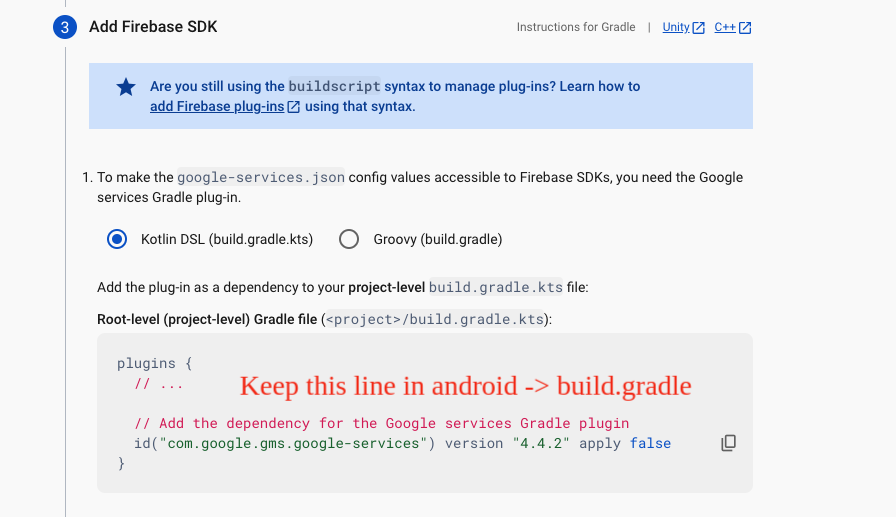
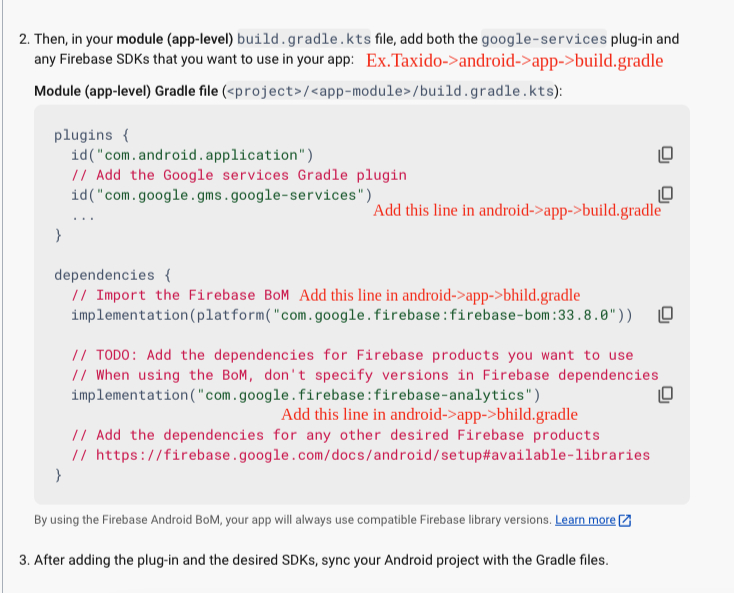
- Update in project -> build.gradile
- Update in project ->android -> app -> build.gradile
(2.2) iOS:
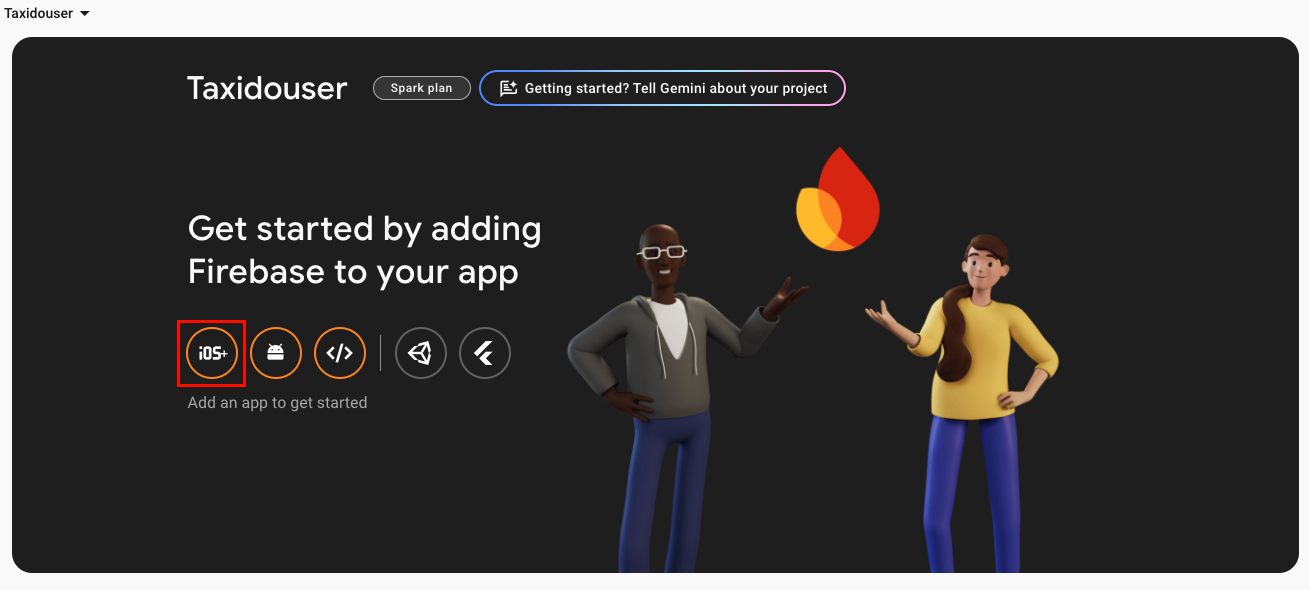
- Create an IOS or Android click on Add app
- Select an iOS app in the firebase console.
- Write bundlid and APPID
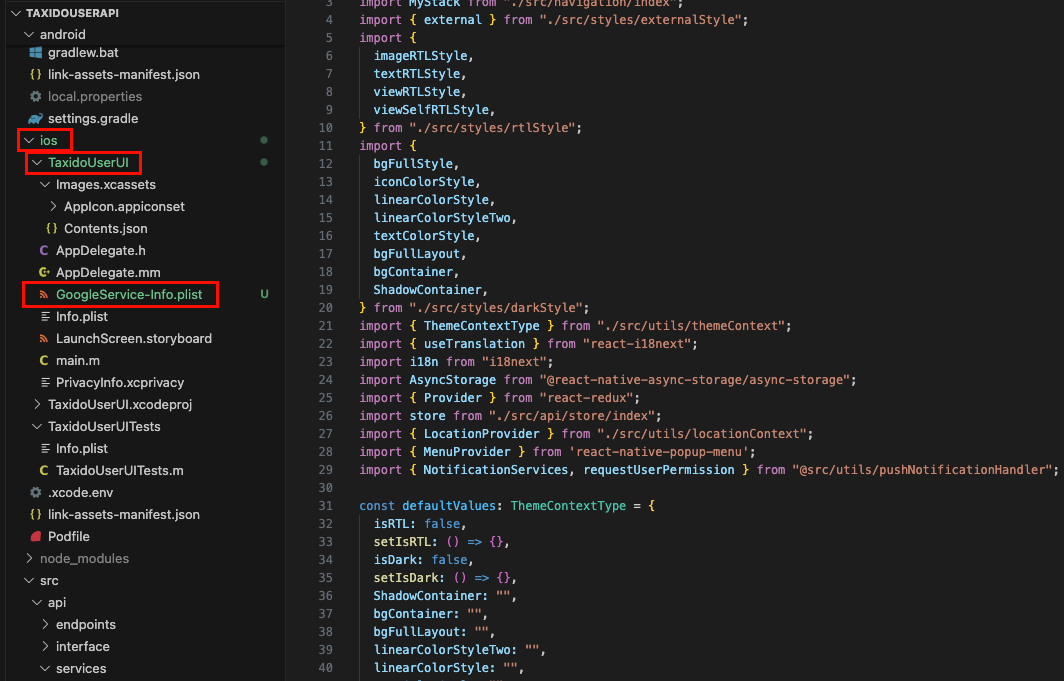
- Download the Googleservice-info.plist file
- Replace the file in "ios/Runner/info.plist"
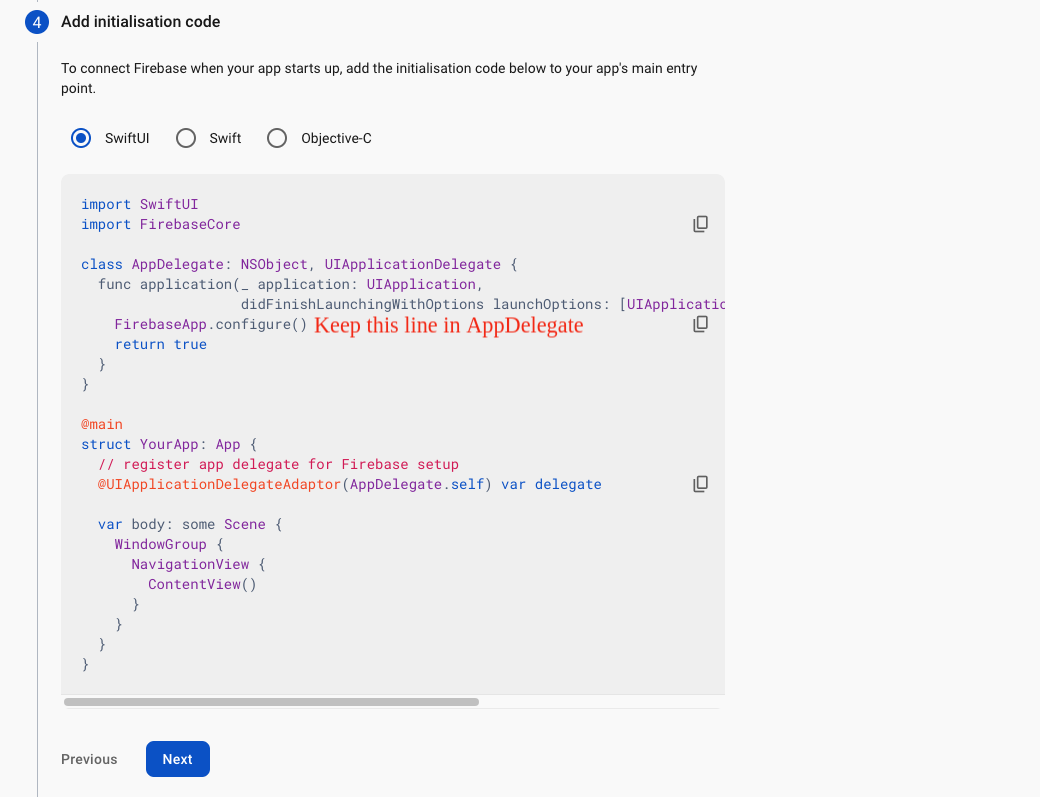
- Update "FirebaseApp.Configure()" in AppDelegate File
- Navigate to Firebase Dashboard > Project Settings > Select your iOS User APP > Copy the “Encoded App ID” value and

<key>CFBundleURLSchemes</key>
      <array>
      <string>PASTE ENCODED APP ID HERE</string>
      </array>
Once you've finished Android and IOS Firebase Project. You can easily do this by following the instructions provided in the following link: Link to Angular FastKart Admin Installation Guide.